
If you’re making videos, streaming, or creating content online, you already know that music matters. A lot. The right soundtrack can turn a mediocre clip into something people actually want to watch. But here’s the thing: using copyrighted music without permission is a fast way to get strikes, demonetized, or worse. So what’s the actual solution? Audiosocket and platforms like it exist specifically for creators who need legal, affordable music that doesn’t come with legal risk.
This guide walks you through everything you need to know about finding and licensing music for your content.
Related: Music Licensing for Content Creators: Complete 2026 Guide
Related: Music for Digital Creators: Your Complete Guide
Related: Music for Short Videos: The Complete Guide (2026)
Related: Music for Creators: The Complete Guide to Finding Your Sound
Related: Music Rights Clearance: Complete Guide for Creators
Related: What Is Music Clearance? A Creator’s Complete Guide
Related: What Is a Music Library? Complete Creator’s Guide
What Is Royalty-Free Music, and Why Does It Matter for Creators?
Royalty-free music is audio you can use legally without paying per view or per download. You buy a license once, follow the terms, and you’re good. It’s not “free,” but it’s way cheaper and simpler than traditional licensing.
Here’s why this matters: most popular songs on Spotify are owned by record labels and protected by copyright. If you use them in your video without permission, the platform (YouTube, TikTok, Instagram) will either mute the audio, block your video in certain countries, or slap a copyright strike on your channel. Even if your content is small, the system is automated and unforgiving.
Royalty-free music solves this because the creators or rights holders have already given you permission to use it. You’re buying that permission upfront through a license.
Types of Music for Content Creators
Not all royalty-free music is the same. Here’s what you’ll encounter:
- Human-made music from independent artists. Real composers and musicians creating original tracks. Quality and originality tend to be higher, but you’re supporting actual creators.
- Production music. Music specifically composed for video, podcasts, and commercial use. It’s designed to sit in the background and not overshadow your content.
- Curated collections by mood or genre. Pre-organized music sorted by vibe (uplifting, cinematic, chill, energetic, etc.). Saves you hours of searching.
- Sound effects. Beyond music, you’ll want footsteps, door slams, transitions, and ambient sounds to bring your video to life.
The best platforms combine all of these in one place so you don’t have to hunt across five different websites.
Where to Find Music for Content Creators
You have options, but not all are created equal. Here’s the landscape:
- Subscription-based platforms. Pay monthly or yearly for unlimited downloads from a huge library. Best for creators making lots of content regularly. Audiosocket fits here, offering curated music from independent artists plus sound effects and motion graphics in one subscription.
- Pay-per-track sites. Buy individual licenses for each song. Good if you make content sporadically and only need a few tracks.
- Free options with limitations. Platforms like YouTube Audio Library or Creative Commons sites offer free music, but the selection is smaller and many tracks are overused.
- Direct from artists. Some independent musicians license their work directly through their websites or Bandcamp. Often cheaper, but you’re doing the legwork to find and contact them.
For most creators, subscription is the move. You get peace of mind, consistency, and you’re not penny-pinching every time you need a new track.
Licensing Terms You Actually Need to Understand

Before you grab a track, check the license agreement. Most royalty-free licenses let you use music in videos, podcasts, and streams, but there are nuances:
- Personal use vs. commercial use. Some licenses are cheaper if you’re not making money. Others cost the same either way.
- Attribution requirements. Some tracks require you to credit the artist in your description or video. Check the fine print.
- Exclusive vs. non-exclusive. Exclusive licenses mean only you can use that track. More expensive, but your content stands out. Non-exclusive is cheaper because other creators can use it too.
- Sync licenses. This is the permission to use music in your video. Most platforms handle this automatically when you buy a license.
The good news: reputable platforms make these terms super clear. You’re not signing contracts in legalese. It’s usually a simple checkbox before you download.
How to Choose the Right Music for Your Content
Finding the perfect track takes strategy. Here’s how creators actually do it:
Start with your vibe. Before searching, nail down the mood you want. Is your video uplifting and energetic, or moody and introspective? Genre matters less than feeling. A lo-fi hip-hop track and an acoustic guitar can both feel “chill,” so search by mood first.
Preview multiple options. Listen to at least 5-10 tracks before picking one. Spend two minutes on each. You’ll get a feel for what works with your editing pace and visuals.
Match tempo and energy to your editing. If your cuts are quick and punchy, use upbeat music. If you’re doing long, contemplative shots, use slower tracks. The music should ride the rhythm of your edits.
Think about the background. Music that works as background should be interesting but not demanding. If someone watches your video while scrolling, will they still feel the vibe? That’s good background music.
Test with your actual content. Place the track in your video before finalizing. Watch it two or three times. Does it feel right, or do you need something different? Most platforms let you download and try before committing.
The Real Cost of Music Licensing
Let’s talk money. Audiosocket subscriptions run around $10-30 per month depending on the plan, which gives you unlimited downloads. If you’re making one video a week, that’s roughly $2-7 per video. Way cheaper than the alternative (copyright strikes, demonetization, or getting sued).
Pay-per-track sites typically charge $5-50 per license, depending on the artist and exclusivity. If you make 10 videos a month, that adds up fast.
Free options cost zero, but you’re competing with thousands of other creators using the same tracks. Your thumbnails might look identical to five other videos in your niche.
The ROI is simple: a solid music library is the cheapest insurance policy you can buy as a creator. It protects your channel, saves you time searching, and helps your content sound professional.
Music Licensing for Different Platforms
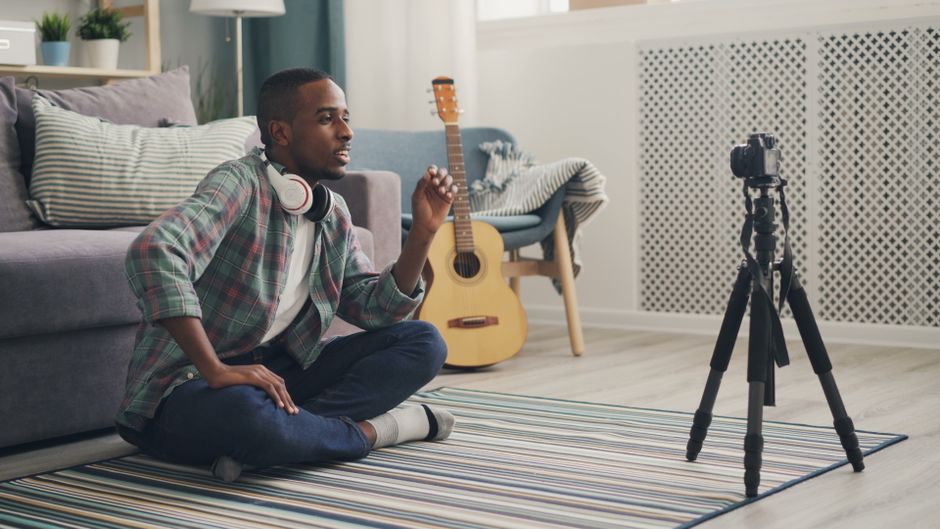
YouTube, TikTok, Twitch, and podcasting each have different rules. Here’s the quick version:
- YouTube: Any licensed music is fine. Use it, no problem. YouTube’s Content ID will recognize unlicensed music and either block it, mute it, or give the copyright holder the ad revenue.
- TikTok: The platform has its own music library, but you can also use licensed royalty-free music in your uploads.
- Twitch: DMCA strikes are strict here. Use licensed music only, or expect channels to be shut down.
- Podcasts: Most podcast hosts have licensing built in, but check your provider. If you’re uploading to Spotify or Apple Podcasts, licensed music is essential.
The safest move: use music from a reputable licensing platform for everything. It’s one less thing to worry about.
Building Your Music Library as a Creator
Pro creators don’t grab a random track every time they post. They build a library over time. Here’s how:
Organize by mood or project type. Create folders in your downloads or a cloud storage system. Label them “uplifting,” “cinematic,” “podcast intros,” etc. When you’re in a rush, you can grab something fast.
Create playlists on your licensing platform. Most platforms let you save favorites. Build a custom playlist for each type of content you make. Rewatch favorites before searches.
Follow artists you love. If a composer’s style resonates with you, check out their other tracks. You’ll develop a signature sound, and your audience will recognize it.
Experiment with lesser-known artists. The bigger names get licensed by hundreds of creators. Digging into smaller artists means your content sounds fresher and you’re supporting independent musicians.
Avoiding Common Music Licensing Mistakes
Creators mess this up all the time. Don’t be one of them:
- Using “no copyright” music without checking the license. “No copyright” doesn’t mean “free to use however you want.” Always read the terms.
- Buying a cheap personal license and using it in monetized content. That violates the license and can get your channel in trouble. Pay for commercial licenses if you’re making money.
- Not downloading the license confirmation. Keep proof that you licensed the music. If someone questions it later, you have documentation.
- Using one license across multiple channels. Some licenses are tied to a single channel. Using the same music on a different channel might need a new license. Check the terms.
Basically: read the license, use it as intended, and keep records. It takes five extra minutes and saves you massive headaches.
The Future of Music for Content Creators
The industry is evolving. According to the World Intellectual Property Organization, creator economies are exploding, and licensing platforms are responding with better tools, faster search, and more independent artists joining platforms.
In 2026, the trend is moving toward transparency and creator-friendly terms. Platforms are simplifying legal language and offering more flexibility. At the same time, creator-first platforms are prioritizing music from independent artists over generic production music.
The takeaway for you: licensing is becoming easier, cheaper, and more creative. If you’ve avoided it because it seemed complicated, now’s the time to jump in. Most creators find the process quick and painless once they understand the basics.
Getting Started with Licensed Music Today
Ready to level up your sound? Here’s the action plan:
- Pick a licensing platform. Whether it’s Audiosocket or another option, choose based on library size, pricing, and ease of use.
- Explore the library. Spend an hour browsing. Filter by mood and genre. Find five tracks you love and save them to a playlist.
- License one track and use it. Drop it into your next video. See how it feels. Get comfortable with the workflow.
- Build from there. With each video, add new tracks to your library. Soon you’ll have a solid collection ready to go.
Music licensing isn’t complicated once you know where to look and what to do. And honestly, the peace of mind is worth it alone.
What’s the difference between royalty-free and Creative Commons music?
Royalty-free music comes with a purchased license that gives you permission to use it. Creative Commons music is often free or low-cost, but requires attribution and may have restrictions on commercial use. Both are legal, but royalty-free is simpler for most creators because you buy it once and don’t have to worry about crediting the artist (unless the license requires it).
Can I use licensed music on multiple videos or channels?
Depends on the license. Most personal subscriptions allow unlimited use across multiple projects on a single channel. If you’re syndicating content or uploading to multiple channels, check the license terms or upgrade to a commercial license. It’s usually clearly stated when you buy.
What happens if I use copyrighted music without a license?
Platforms detect it automatically using Content ID systems. YouTube might mute the audio, block your video in certain regions, or strike your channel. Twitch can shut down your entire account. It’s not worth the risk. Licensing is cheap insurance.
Can I edit or remix licensed music?
Most licenses let you edit music for your content (trim it, loop it, adjust volume). You typically can’t create a new song based on it or claim it as your own work. Check your specific license, but editing for your videos is standard and allowed.


