
If you’re making videos, you need music. The big question is: where do you get it without worrying about copyright strikes, takedowns, or legal headaches?
The answer is royalty-free music licensing. This is audio that’s cleared for you to use in your projects, and it’s way simpler than hunting YouTube for unlicensed tracks or hoping nobody notices when you borrow a song from Spotify.
Let me walk you through how to find and use music for video creators the right way.
What Is Royalty-Free Music for Video Creators?
Royalty-free music is exactly what it sounds like: you pay once, and you can use the track in your videos without paying the artist every time someone watches. You’re not paying royalties to anyone down the line.
Related: Music for Vlogs: Find the Right Tracks for Your Videos
This is different from traditional licensing, where you’d have to negotiate with record labels, publishers, and artists for every single use. Royalty-free music simplifies everything. You get a license that covers your project, and you’re good to go.
The best part? These aren’t throwaway stock tracks. Independent artists, Grammy-winning musicians, and professional composers all contribute to royalty-free catalogs specifically created for video creators like you. You get professional-quality audio without the professional-level budget.
Related: Best Music for Podcasts: Find Royalty-Free Tracks Fast
Related: Best Music for Creator Videos: Royalty-Free Tracks That Convert
Related: Best Music for Videos: Find Affordable Tracks That Work
Where to Find Music for Your Video Projects
Your first step is to find a music library that works for your needs. You want something with enough variety to cover different project types, whether you’re making YouTube videos, TikTok clips, Instagram Reels, or even broadcast content.
Related: Best Sync Music Licensing for Your Video Projects
A solid royalty-free music library should include:
- Tracks for different moods (upbeat, mellow, dramatic, energetic)
- Sound effects to go along with your music
- Music for specific content types (workout videos, lifestyle vlogs, tutorials, comedy, documentaries)
- Licensing that covers multiple platforms in one agreement
- Regular updates with fresh tracks
When you’re browsing, don’t just grab the first track that sounds okay. Spend time listening to options. The right music should feel like it was made for your specific video.
Related: Music for Snapchat: Best Tracks & How to Add Sound
How to Match Music to Your Video Content
This is where most creators mess up. They pick a song they like personally instead of picking one that fits their actual video.
Start with tempo. Fast-paced, high-energy tracks work great for workout videos, motivational content, and anything where you want your viewer amped up. Mellow, slower music is better for lifestyle content, travel vlogs, and emotional moments.
Then think about mood. Is your video uplifting or contemplative? Fun or serious? Tense or relaxing? Your music should match the feeling you’re trying to create, not fight against it.
Finally, think about instrumentation. A piano-driven piece feels different than one with electronic elements or strings. Pick something that matches the vibe of your content. If you’re making a gritty street workout video, indie hip-hop beats probably fit better than orchestral music.
If you’re stuck deciding between options, Audiosocket lets you preview tracks before you commit, so you can test a few options against your actual footage and see what works best.
Understanding Your License: What You Can and Can’t Do

Every royalty-free track comes with a license agreement. Read it. Seriously. It tells you exactly what you’re allowed to do with the music.
Most royalty-free licenses for creators cover:
- YouTube videos and monetization
- Social media (TikTok, Instagram, Facebook, etc.)
- Commercial use (ads, branded content)
- Broadcast television and streaming platforms
- Multiple uses across different platforms
The key thing: once you have the license, you’re covered. You don’t have to worry about strikes, takedowns, or claims from the copyright holder. The licensing platform handled all that.
One thing to note: make sure your license covers how you plan to use the music. If you’re monetizing on YouTube, you need a license that explicitly allows that. If you’re using music in a commercial ad campaign, you need commercial licensing. It’s not complicated, but it matters.
Sound Effects: Your Secret Weapon
Music gets all the attention, but sound effects are just as important for video quality. A footstep, a door slam, a whoosh transition, notification sounds, ambient noise, thunder, or a laugh track can completely elevate your video.
Most royalty-free music libraries include sound effects alongside their music catalog, so you can grab everything you need in one place. This saves time and makes sure your audio works together cohesively.
Don’t overlook SFX. They fill gaps in your audio, add realism, and make your videos feel more polished and professional.
What About AI-Generated and Emerging Audio Trends?
AI-generated music is becoming more common in sync licensing. You’ll see both human-made compositions and AI-assisted tracks in modern libraries.
If you’re open to it, AI tracks can be a quick option for background music or filler content. But honestly? Human-made music still has something AI can’t quite replicate: genuine emotion and originality. Most serious video creators still prefer music composed by real people.
The good news: you have choices. You can stick with traditional compositions, try AI options, or mix both depending on the project.
How to Stay Legal and Avoid Copyright Issues
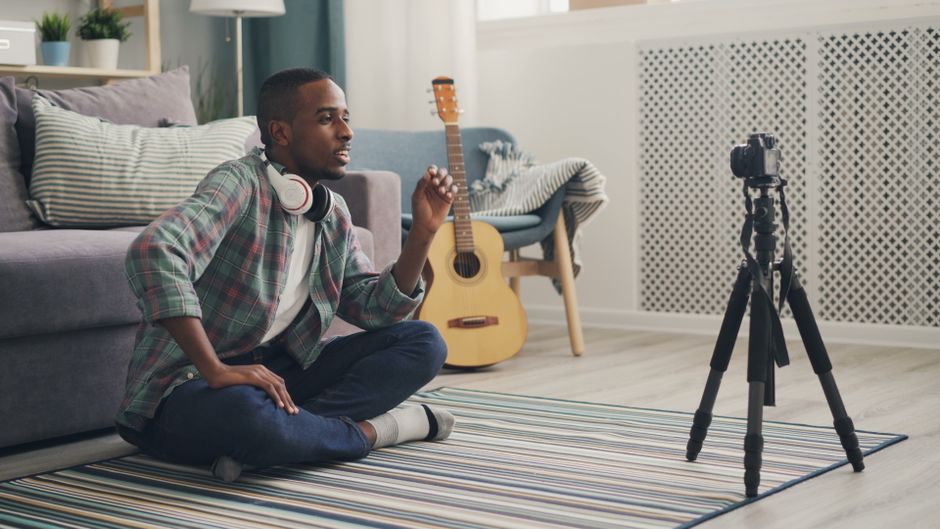
Here’s the reality: if you don’t use properly licensed music, YouTube, TikTok, and other platforms will flag you. You might get a copyright strike, lose monetization, or have your video taken down entirely.
Using royalty-free music solves this problem completely. You have a license. You’re covered. No strikes, no claims, no stress.
The only rule: make sure you actually have a license before you upload. Don’t guess. Don’t assume. If you’re not 100% sure the music is licensed for your use, find something else.
When you’re working with a proper music licensing platform, every track comes with clear licensing information. You’ll know exactly what you’re allowed to do before you hit download.
Pro Tips for Faster Music Selection
Browsing a music library can take forever if you don’t have a system. Here’s how to speed it up:
- Search by mood or genre first, not by artist name. You’re looking for a vibe, not a specific song.
- Listen to 30 seconds, max. If it doesn’t feel right, move on.
- Make a shortlist and compare 3-5 options against your actual footage. Sometimes music that sounds good alone doesn’t work with your video.
- Consider licensing bundles if you make content regularly. It’s more cost-effective than licensing individual tracks each time.
- Save your favorite tracks in a playlist or folder so you can reuse them across multiple videos if the license allows it.
The faster you can find good music, the faster you can finish your video and move on to the next one.
Building Your Audio Identity
Over time, you might start noticing certain types of music that work really well for your content. Maybe you’re drawn to lo-fi beats, or maybe upbeat indie pop is your thing.
Lean into that. Using consistent music styles helps your audience recognize your videos. It becomes part of your brand. That’s actually a pro move.
Most creators find 5-10 go-to tracks that match their vibe and reuse them across projects (assuming the license allows reuse, which most do). This keeps your production moving and maintains audio consistency in your channel.
Getting Started With Your First Licensed Track
Ready to actually find music for video creators? Here’s the process:
- Pick a royalty-free music platform that fits your needs and budget.
- Search by mood, genre, or project type.
- Listen to previews and narrow down to 2-3 options.
- Check the license to confirm it covers your intended use (YouTube, TikTok, commercial, etc.).
- Download the track and add it to your video.
- Keep your license file or receipt (just in case you need proof).
That’s it. No complicated negotiations. No copyright strikes. Just good music that’s legally yours to use.
If you want access to a full library of properly licensed music with simple, straightforward licensing for all your video types, check out what Audiosocket offers. Browse curated tracks, understand exactly what you can use them for, and get your videos done faster.
Frequently Asked Questions
Can I use royalty-free music on YouTube and earn money from the video?
Yes, as long as your license explicitly allows commercial use and YouTube monetization. Most modern royalty-free licenses for creators cover this. Check the license terms before you upload, but you should be fine.
What’s the difference between royalty-free and copyright-free music?
Royalty-free means you pay once and don’t owe ongoing payments. Copyright-free technically means the music has no copyright protection at all (which is rare). In practice, creators use these terms interchangeably. What matters is that your license covers your specific use.
Can I reuse the same music in multiple videos?
Usually yes, but check your license. Most royalty-free licenses let you use a single track in unlimited videos (as long as they’re all covered by your license agreement). Some platforms charge per video, so confirm before uploading.
What if I can’t find music that matches my video’s vibe?
Browse by mood and tempo instead of just genre. Spend time in the library. Most quality music platforms have hundreds or thousands of tracks, so you should find something close. If you’re really stuck, consider working with a platform that regularly updates its catalog with new music.


