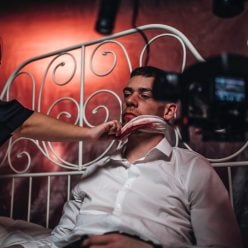
Behind-the-scenes videos are gold for building audience connection. Whether you’re showing the creative process, documenting a production day, or pulling back the curtain on your work, this type of content feels intimate and authentic. But here’s the challenge: you need music that supports your story without overwhelming the dialogue, narration, or natural sounds already happening on camera.
The right soundtrack for music for behind the scenes videos isn’t about finding the loudest track or the most cinematic string arrangement. It’s about choosing audio that enhances the mood while staying invisible enough to let your footage shine.
Why Behind-the-Scenes Content Needs Careful Music Selection
Behind-the-scenes videos exist in a unique space. You’re often capturing real conversations, ambient noise from a set, or direct-to-camera commentary. Layer a song with prominent vocals over that, and suddenly viewers can’t hear what matters most: your story.
This is where instrumental tracks become your best friend. Instrumental music gives you flexibility. It fills silence without competing for attention. It sets tone and pacing without distraction. And because there are no lyrics, you avoid copyright headaches that come with mainstream commercial music.
Related: Music for Vlogs: Find the Right Tracks for Your Videos
The stakes feel real when you’re publishing content. You need music you can actually use. Audiosocket provides royalty-free audio that’s licensed for creators like you, so you can upload, monetize, and distribute your behind-the-scenes content without worrying about takedowns or licensing disputes.
What Makes Music Work for Behind-the-Scenes Footage
Not all instrumental music fits behind-the-scenes content. You need tracks that match your specific vibe.
Calm, understated instrumentals work best when you’re showing process or craftsmanship. Think lo-fi beats, ambient pads, or minimal piano. These tracks sit in the background and let viewers focus on what’s happening on screen. They’re perfect if you’re narrating over footage or capturing natural dialogue.
Upbeat, energetic tracks suit montage-style behind-the-scenes content. If you’re cutting together quick clips of a team working, a set being built, or a creative project coming together, slightly faster-paced instrumental music keeps energy high without overwhelming the visuals.
Neutral, professional instrumentals work across almost any behind-the-scenes scenario. Acoustic guitar, subtle strings, light percussion. These are versatile enough for corporate content, indie film production, podcast visuals, or YouTube channel footage.
How to Pick the Right Track for Your Specific Project
Start by thinking about what your audience will hear on camera. Are there people talking? Is there ambient noise you want to preserve? Will you add voiceover narration? Answer those questions first, because they determine how much musical space you actually have.
Next, consider the mood you’re building. Documentary-style behind-the-scenes content has a different feel than playful, lighthearted production footage. The music should match. Slow, introspective instrumentals feel different from upbeat, percussive tracks.
Then test it. Drop a potential track into your timeline and watch a few minutes of footage with it playing. Does it complement the visuals? Does it fight with dialogue or natural sound? Does it feel like it belongs? Sometimes a track that looks perfect on paper doesn’t match the actual vibe of your footage.
This is where having access to a deep library matters. When you can audition multiple tracks quickly, you find the right fit faster. Audiosocket’s curated collection lets you search by mood, tempo, and instrument so you’re not scrolling endlessly through irrelevant options.
Royalty-Free Audio: Why It Matters for Your Behind-the-Scenes Content

Royalty-free doesn’t mean free. It means you pay once for a license and can use the track legally in your project. No surprise copyright strikes. No takedowns. No back-and-forth with rights holders.
For behind-the-scenes videos specifically, royalty-free music solves a real problem. You’re publishing creator content that might get distributed across multiple platforms. YouTube, TikTok, Instagram, your website, maybe eventually a streaming service or educational platform. Royalty-free licensing covers all those uses so you’re protected no matter where your content ends up.
Plus, royalty-free tracks are designed for creators. They’re recorded and mixed with behind-the-scenes, documentary, and narrative projects in mind. You’re not forcing a pop song or a classical piece into a format it wasn’t meant for. The music is built for exactly what you’re doing.
Beyond Music: Sound Design and Pacing
Music isn’t the only audio tool you have. Consider how sound effects and natural ambience work alongside your chosen track. Footsteps, camera clicks, tools being used, paper shuffling. These real-world sounds add texture and authenticity. Your music should complement them, not cover them up.
Pacing matters too. If your behind-the-scenes footage has slow, meditative cuts, a fast-paced instrumental will feel jarring. Match the energy and rhythm of your music to the energy and rhythm of your edits. Music and footage should feel like they belong together, not like you grabbed something random and dropped it in.
When you’re ready to lock in your sound, Audiosocket makes it simple. You find the track, add it to your project, and you’re done. No licensing paperwork. No uncertainty. Just music that works.
Common Mistakes to Avoid When Choosing Behind-the-Scenes Music
Don’t pick music that’s too recognizable. If viewers recognize the track, they might be distracted by trying to remember where they know it from. Lesser-known instrumental music keeps focus on your content.
Don’t use music that’s too loud. Even instrumental tracks need to sit lower in your mix so dialogue and natural sound stay clear. You’re layering, not replacing.
Don’t ignore the copyright question. Grabbing music from YouTube or finding “free” tracks online can result in strikes or takedowns later. Royalty-free licensing from a proper source protects your work and your channel.
Don’t skip the test-watch. What sounds good in isolation might not work with your specific footage. Always preview before finalizing.
Where to Find Royalty-Free Music for Behind-the-Scenes Videos

You need a platform that understands creator needs and offers music specifically suited to behind-the-scenes storytelling. Look for libraries that let you preview before licensing, organize by mood and instrument, and provide legal protection for your project.
Your music should be licensed, affordable, and worry-free. That’s what creators actually need. Spend your energy on making great content, not on navigating licensing confusion or stressing about copyright disputes.
What’s the difference between royalty-free and copyright-free music?
Royalty-free means you pay a one-time fee for a license to use the music. Copyright-free isn’t a real legal category; music is automatically copyrighted when created. Always use royalty-free music from licensed sources to protect your project.
Can I use the same royalty-free track in multiple behind-the-scenes videos?
Yes. Once you license a royalty-free track, your license typically covers unlimited use across multiple projects. Check the specific license terms, but most royalty-free platforms allow you to reuse music across different videos.
Related: Best Music for Influencer Videos 2026: Top 5 Platforms Ranked
Should I use the same music throughout an entire behind-the-scenes series?
That depends on your brand. Using the same track (or similar tracks from the same artist) creates brand consistency and helps viewers recognize your behind-the-scenes content. But varying the music slightly keeps it fresh. Find a balance that feels right for your audience.
How loud should music be in a behind-the-scenes video with dialogue?
Music should sit underneath dialogue clearly. Aim for a mix where viewers can hear every word on camera without strain. Music fills the space and supports mood, but it never competes. If you’re unsure about your mix, watch it on different devices (phone, computer, headphones) to make sure dialogue remains clear everywhere.